
Quick Start
This guide covers downloading, installing, and configuring OptionsRealTime for real-time portfolio risk monitoring. Watch the walkthrough below, or follow the written steps.
Prerequisites
Section titled “Prerequisites”- Windows 10 or 11
- Interactive Brokers TWS Desktop (Trader Workstation)
- An active IBKR account with market data subscriptions
Step 1: Get the Downloader
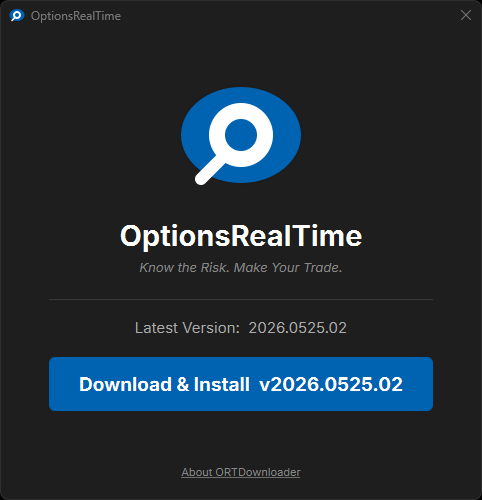
Section titled “Step 1: Get the Downloader”The OptionsRealTime downloader fetches the latest install:
Step 2: Run the Installer
Section titled “Step 2: Run the Installer”- Run the downloaded
ORTDownloader.exe - Click Download & Install to fetch the latest version
- After the download completes, the downloader will automatically close and launch the installer
- Follow the installation wizard and choose the installation directory (default is recommended)
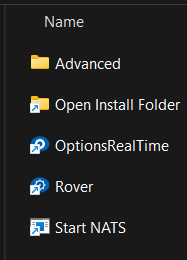
After installation, you’ll have an OptionsRealTime folder on your desktop containing:
- Advanced - Additional tools and configuration
- Excel RTD Demo - Starts the Excel sample spreadsheet
- Open Install Folder - Opens the installation directory
- Open Web UI - Opens a browser to the local Web UI
- Rover - Connection manager, license manager, and web UI launcher
What’s Next?
Section titled “What’s Next?”Before launching OptionsRealTime, you need to configure TWS for API connections.