
Multiple Accounts
If you have multiple accounts accessible from the same TWS Desktop session, you can monitor them all in OptionsRealTime.
When to Use This
Section titled “When to Use This”This applies when:
- You have multiple accounts under the same login (e.g., individual + IRA)
- All accounts are accessible from a single TWS Desktop instance
Adding Additional Accounts
Section titled “Adding Additional Accounts”In Rover, click + Add Account above the connections table once per additional account, then fill in the Account ID and Account Name. Every account lands under the same TWS App 1 group, and Host and Port keep their defaults:
| TWS App / Account ID | Account Name | Host | Port |
|---|---|---|---|
| TWS App 1 | localhost | 7496 | |
| U00000002 | KIDS_COLLEGE | localhost | 7496 |
| U00000001 | IRA_1 | localhost | 7496 |
| U00000003 | IRA_2 | localhost | 7496 |
| U00000000 | INHERITED_ROTH | localhost | 7496 |
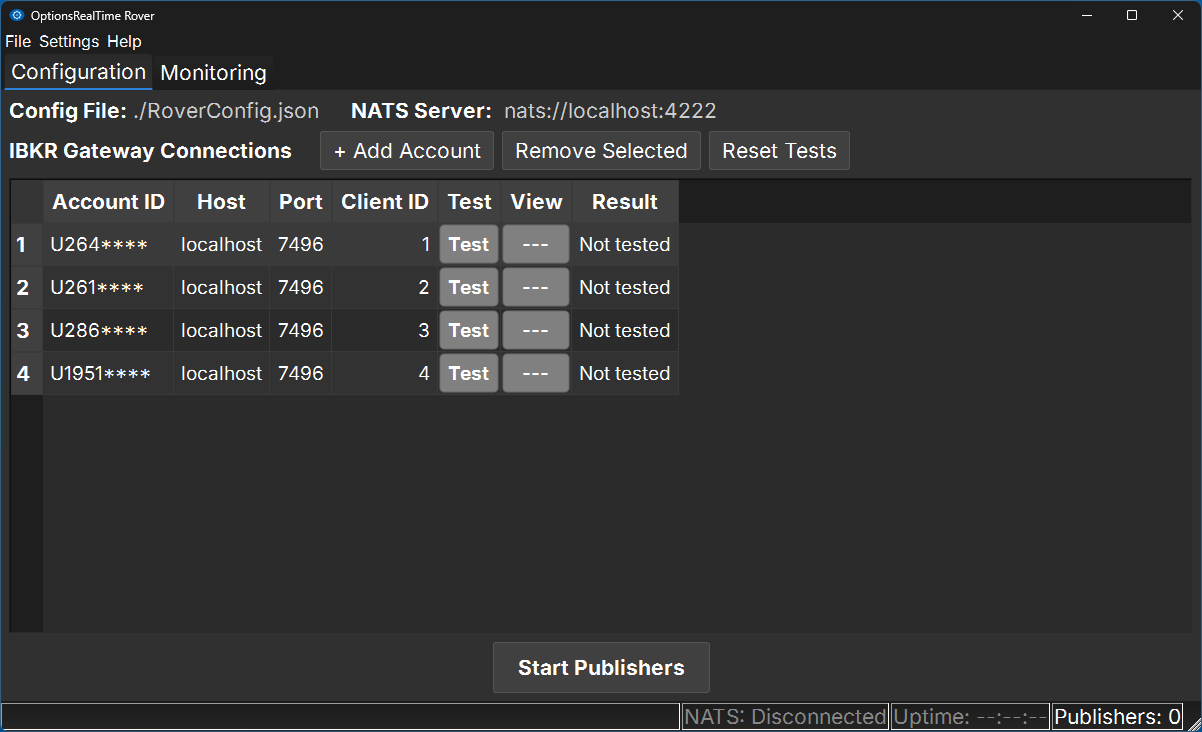
The bold TWS App 1 row is the TWS session itself, carrying the Host and Port; the four accounts indented below it all reach TWS through that one session. There is no second TWS App group here because there is only one TWS Desktop instance.
To remove an account, select its row and click Remove Selected.
Key Points
Section titled “Key Points”- One TWS App. All accounts sit under a single group, connecting through the same TWS instance on the same Host and Port
- Up to 32 accounts. A single TWS instance supports 32 accounts, the limit of simultaneous API connections TWS allows; Rover manages the connections automatically. Beyond 32, run a second TWS instance on another port — see Multiple TWS Instances
- Unique names. Account names must be unique. They default to
IBKR_ACCT_1,IBKR_ACCT_2, and so on, and are sent to connected browsers so accounts can be shown by name instead of by ID - Test each account. Click Test in each row; the View column reads PASS and Result shows the connection detail. Reset Tests clears every row’s result so you can re-run them
- Save the configuration. Go to File > Save (Ctrl+S)
Starting Account Analyzers
Section titled “Starting Account Analyzers”Click Start Account Analyzers to begin streaming data for all accounts. Rover launches one analyzer per row and keeps it alive, respawning it if it dies.
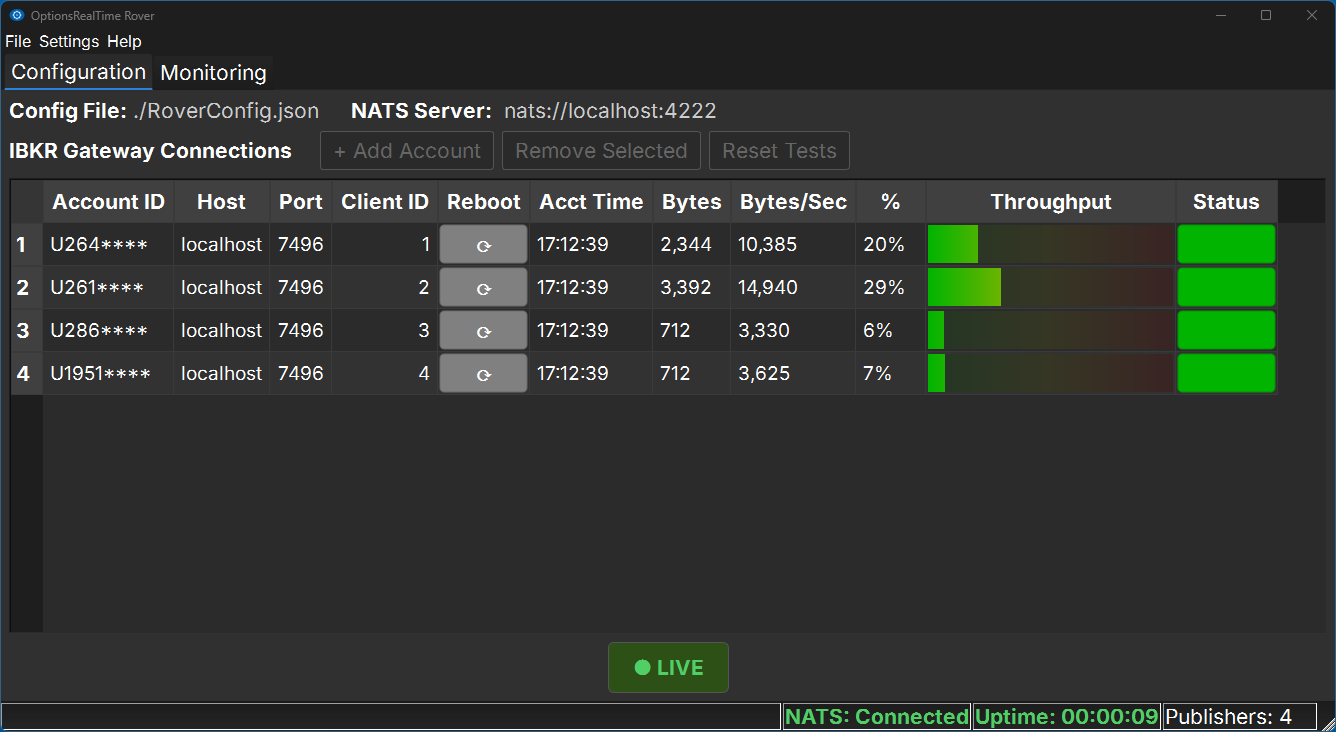
The TWS App 1 grouping stays put while the setup columns give way to live ones — %, Data Flow, and Status — with a green LIVE badge below the table. Watch the status bar to confirm every account came up: it reads Accounts 4/4 when all four analyzers are connected. A count short of the total (Accounts 3/4) means one analyzer has not connected; check that row’s Status and the TWS session behind it.
Viewing Accounts in OptionsRealTime
Section titled “Viewing Accounts in OptionsRealTime”Click the Web UI button at the top of Rover, or open any browser on your network and type the address shown on the button. For example: http://MyMachineName.local:5000
All connected accounts are available. Select one, several, or all. Charts, metrics, quotes, tables and reports update based on your selection. Open additional browser windows or tabs to display different views side by side.
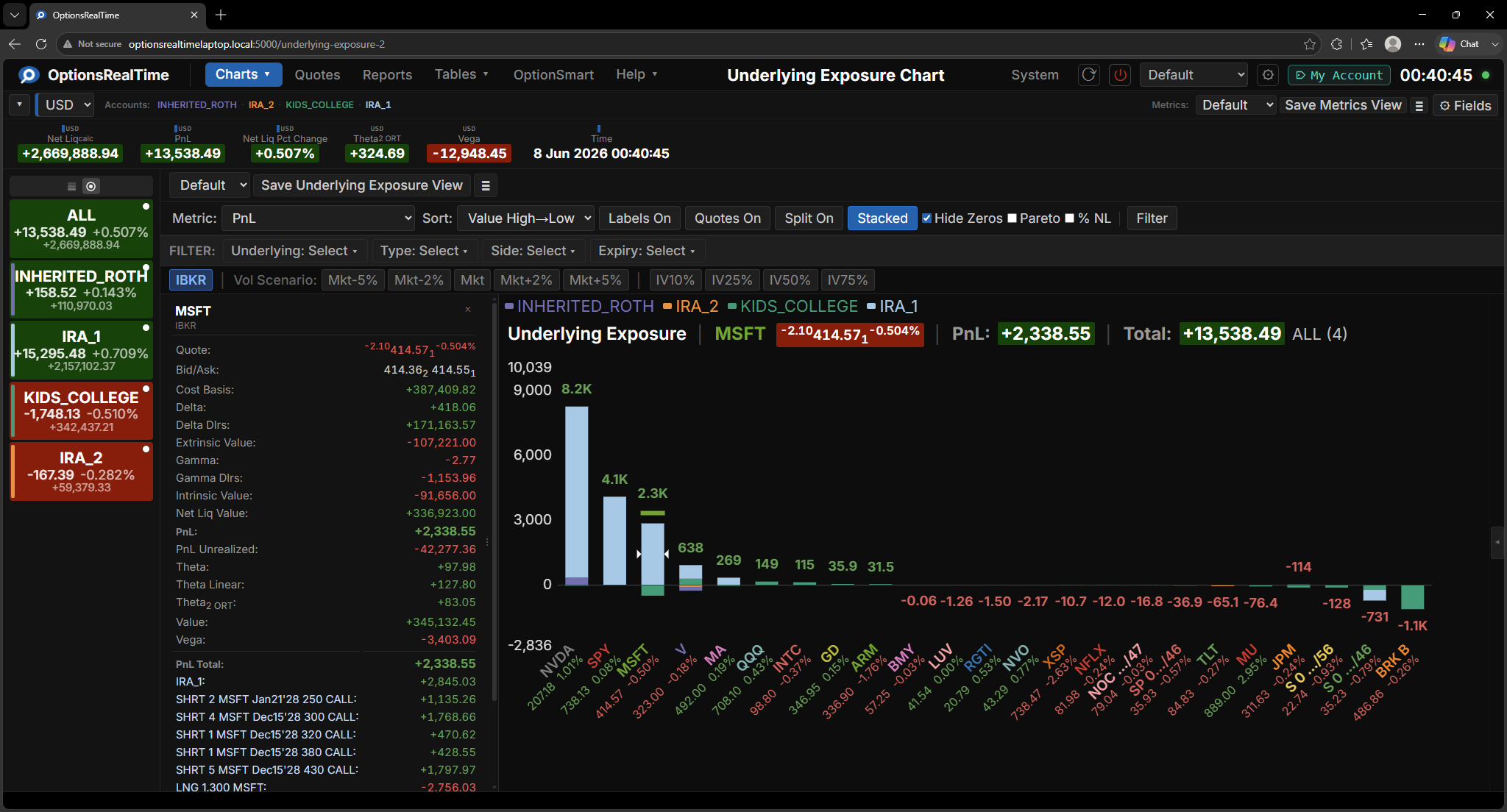
Accounts are listed in the selector on the left, shown here by name and color-coded consistently across every view.
What’s Next?
Section titled “What’s Next?”Multiple TWS Instances
Connect to accounts on different TWS sessions (different ports)
Rover Reference
Every setting, column, and menu item in Rover