
Settings
The gear icon in the navigation bar opens the Settings dialog. Settings are global and apply across all components. Like components and metrics, Settings supports Save and View Actions (Reload, Save As, Rename, Delete) and must have a Default view.
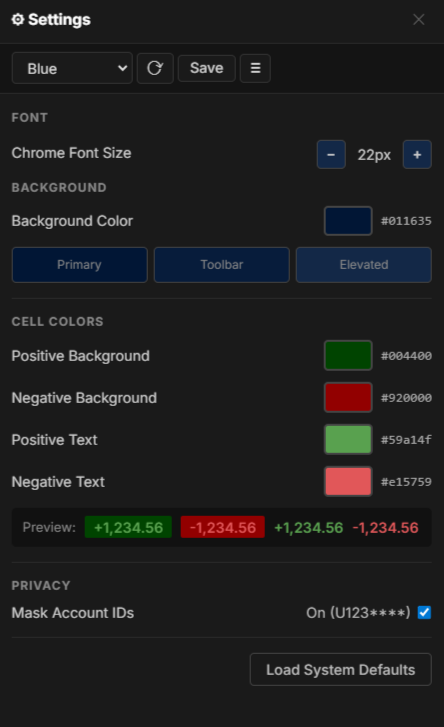
Build and save named themes. Each theme stores:
- Font sizes: independent sizes for seven UI areas:
- Buttons & Controls
- Metrics Strip
- Account Sidebar
- Side Panels
- Chart Titles
- Chart Axes, Labels, Hover
- Streams
- Quote sizes: independent sizes for the three parts of a quote in the Quotes Bar:
- Quote Label
- Quote Value
- Quote Sparkline
- Background color: primary, toolbar, and elevated surface colors
- Cell colors: positive and negative background colors, configurable independently
- Text colors: positive and negative text colors, configurable independently
- Preview: live preview of positive and negative values before saving
- Position moneyness colors: highlight colors for in-the-money and out-of-the-money positions, applied to the Position Detail field in reports and to the Position Table. The in-the-money and out-of-the-money highlights are independent, so either can be enabled on its own (for example, highlighting only in-the-money positions). A preview shows the highlights before saving.
Save a theme with a name and it appears in the theme selector dropdown in the navigation bar. Selecting a theme from the dropdown saves it to the server, making it the startup theme for all browsers on the network.
Privacy
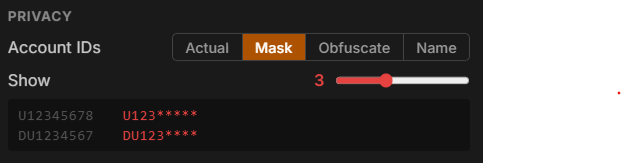
Section titled “Privacy”The Account IDs control sets how account identifiers are displayed everywhere they appear: the Account Selector, metrics, charts, tables, reports, and quotes. It is useful for screenshots, screen sharing, and recordings. The same setting is reachable from the account display toggle in the navigation bar, which cycles through the four modes without opening Settings. Account colors and all other values are unchanged by the chosen mode.
Actual
Section titled “Actual”Shows the real, complete account ID.

Keeps the alphabetic prefix and the first Show digits of each account ID, and replaces the remaining digits with asterisks. With Show set to 3, U12345678 displays as U123***** and DU1234567 as DU123****:
Obfuscate
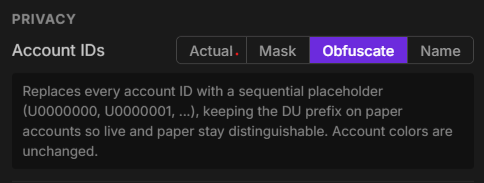
Section titled “Obfuscate”Replaces every account ID with a sequential placeholder, such as U0000000, U0000001, and so on. The DU prefix is kept on paper accounts so live and paper accounts stay distinguishable.
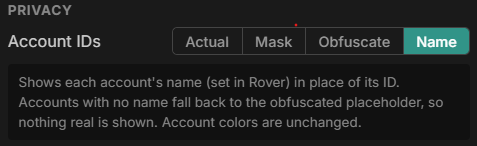
Shows each account’s name, set in Rover, in place of its ID. An account with no name falls back to the obfuscated placeholder, so a real ID is never shown.
Diagnostics
Section titled “Diagnostics”Diagnostics sends the day’s Rover and publisher log files to OptionsRealTime support so a problem can be investigated. Nothing leaves the machine until Send Diagnostics is clicked.
- Describe the problem: a short note on what went wrong, sent with the logs. Something specific helps, such as the time of day a chart stopped updating.
- Send Diagnostics: sends the logs and the note.
Only the current day’s logs are sent.
System Defaults
Section titled “System Defaults”Load System Defaults restores all settings to the installed defaults.