
Quotes Bar
The Quotes Bar sits between the Metrics Bar and the component area. Each quote shows one stream in that stream’s color. The bar is part of the page frame rather than a component, so it stays in view while navigating between charts, tables, reports, and the spreadsheet.

Quotes flow in a grid and wrap to more rows as they are added. An x in the corner of a quote removes it from the bar.
Adding a quote
Section titled “Adding a quote”Add Quote opens a dialog listing the streams, grouped by account. Each entry reads Table · Row · Field with its current value, for example Underlying · MSFT · PnL or Portfolio · Net Liq Calc. Selecting an entry adds it to the bar.
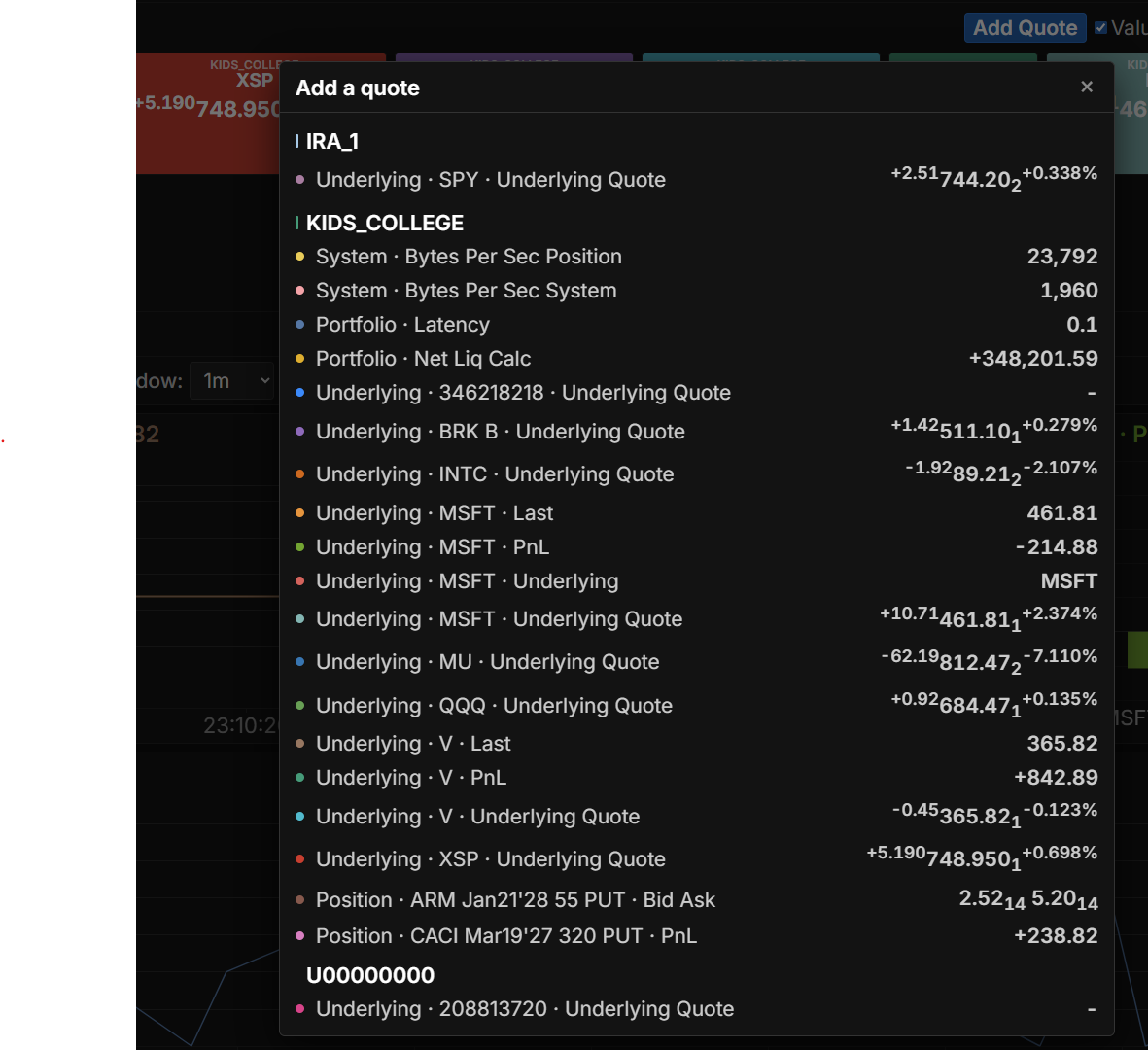
Every stream can be quoted, including the ones that cannot be recorded.
A stream has to exist before it can be quoted. Streams are created on the Streams page.
Toolbar
Section titled “Toolbar”- Add Quote: open the stream list and add a quote
- Value: show each quote’s current value
- Spark: show a sparkline of the recorded history
- Account: show the account each quote reads from
- Time range: the span of history the sparklines cover
- View selector: switch between named quote sets
- Save Quotes View: save the current set
- View Actions (hamburger menu): Reload, Save As, Rename, and Delete the current view (Rename and Delete are unavailable for the Default view)
- Show/hide toggle: collapses or expands the bar
The Value, Spark, and Account checkboxes apply to every quote in the bar.
The label, the value, and the sparkline are sized independently under Quotes in the Settings dialog.
Quote contents
Section titled “Quote contents”What a quote displays depends on the field behind it.
- A single numeric field, such as PnL or Net Liq Calc, shows the stream’s name and its value.
- An underlying quote shows the price change, the last price, and the percent change together.
A quote is labelled with the stream’s short name, such as Latency or V · PnL. Hovering it shows the stream’s full identity below the bar, in the same Account · Table · Row · Field form used in the Add a quote dialog, so a quote whose short name is ambiguous can be traced back to what it reads.
With Spark and Account checked, each quote gains a sparkline along its bottom edge and the name of the account it reads from across its top.
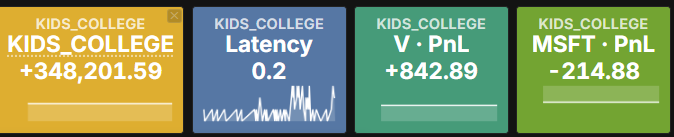
A sparkline needs recorded history, so it appears for recordable streams with Record checked on the Streams page. A quote whose field is text or a combined quote shows its live value without a sparkline.