Account Selector
The Account Selector runs down the left side of every page. It shows one button per connected account, plus an ALL button at the top.
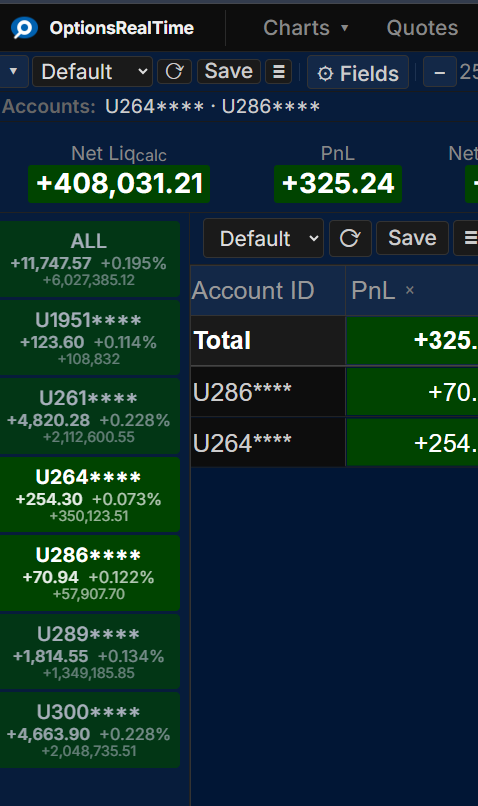
Each button shows the account ID, current PnL, percentage change, and net liquidation value, color-coded by the configured positive and negative theme colors.
Click any button to select that account. Hold Ctrl+Shift and click to select any combination of accounts. The ALL button selects every connected account at once. Every metric, chart, quote tile, table, and report on the page updates to reflect the selection.
The account buttons scale with the Metrics font size setting.
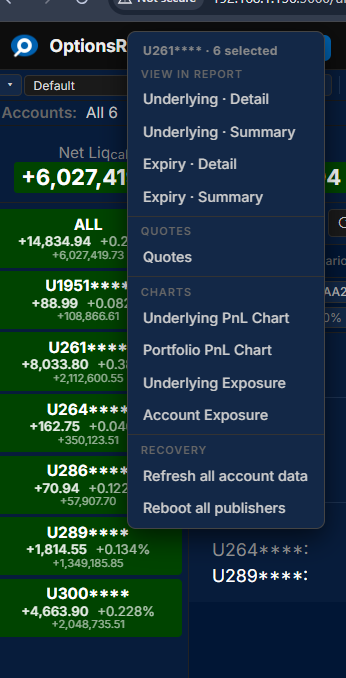
Right-Click Menu
Section titled “Right-Click Menu”Right-clicking any account button opens a context menu with navigation to reports, quotes, and charts filtered to the selected accounts. The menu also includes system operations such as requesting a data resend from the back end or rebooting publisher processes to recover from a data interruption.