
Multiple Accounts
If you have multiple accounts accessible from the same TWS Desktop session, you can monitor them all in OptionsRealTime.
When to Use This
Section titled “When to Use This”This applies when:
- You have multiple accounts under the same login (e.g., individual + IRA)
- All accounts are accessible from a single TWS Desktop instance
- You want to monitor each account separately
Adding Additional Accounts
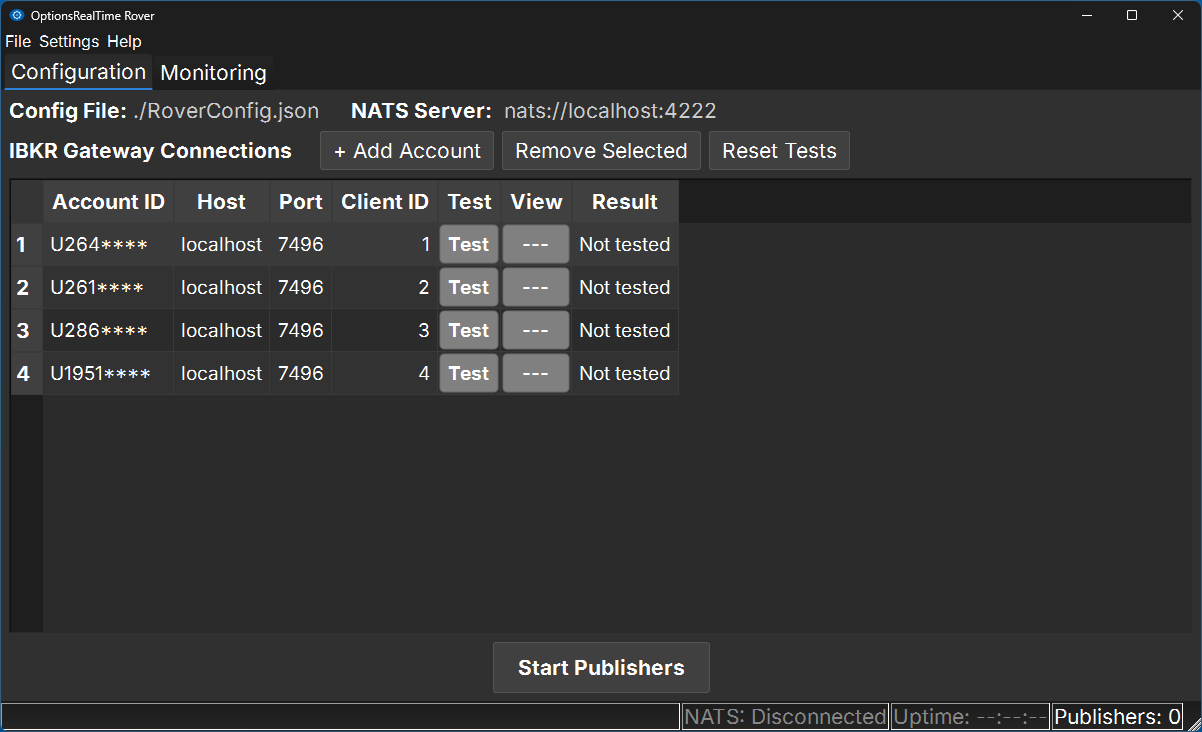
Section titled “Adding Additional Accounts”In Rover, add a new row for each account:
| Account ID | Host | Port | Client ID |
|---|---|---|---|
| U1234567 | localhost | 7496 | 1 |
| U7654321 | localhost | 7496 | 2 |
| U9999999 | localhost | 7496 | 3 |
Key Points
Section titled “Key Points”- Same Host and Port — All accounts connect through the same TWS instance
- Unique Client IDs — Each account must have a different Client ID (1, 2, 3, etc.)
- Test each account — Click Test for each row to verify connectivity
- Save the configuration — Go to File → Save
Starting Publishers
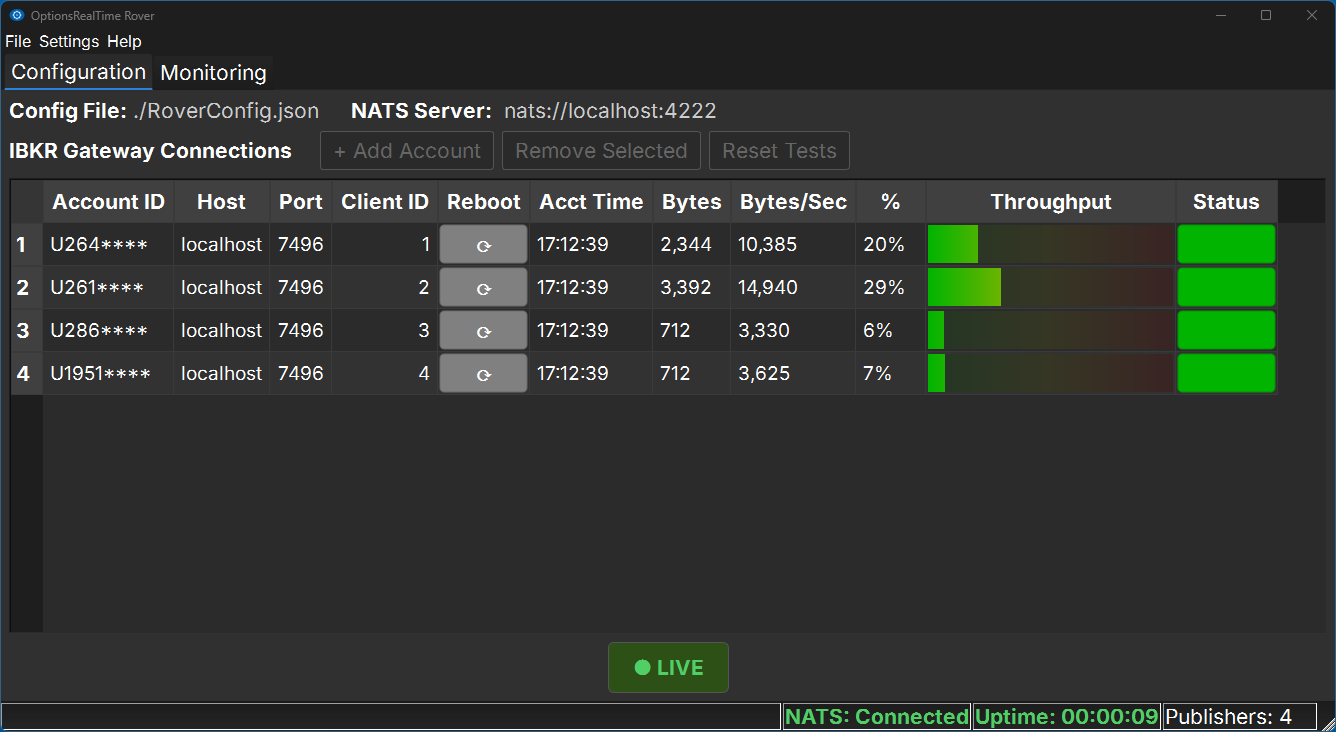
Section titled “Starting Publishers”Click Start Publishers to begin streaming data for all accounts simultaneously.
Viewing Accounts in OptionsRealTime
Section titled “Viewing Accounts in OptionsRealTime”When you launch OptionsRealTime:
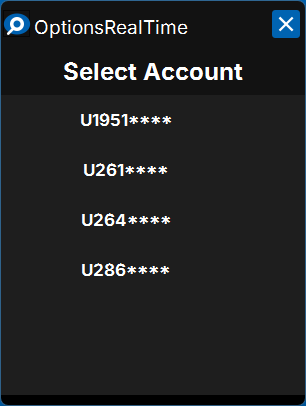
- The Select Account dialog shows all available accounts
- Choose which account to view
- Launch multiple OptionsRealTime instances to view different accounts side by side
What’s Next?
Section titled “What’s Next?”Multiple TWS Instances →
Connect to accounts on different TWS sessions (different ports)