
Exposure Chart
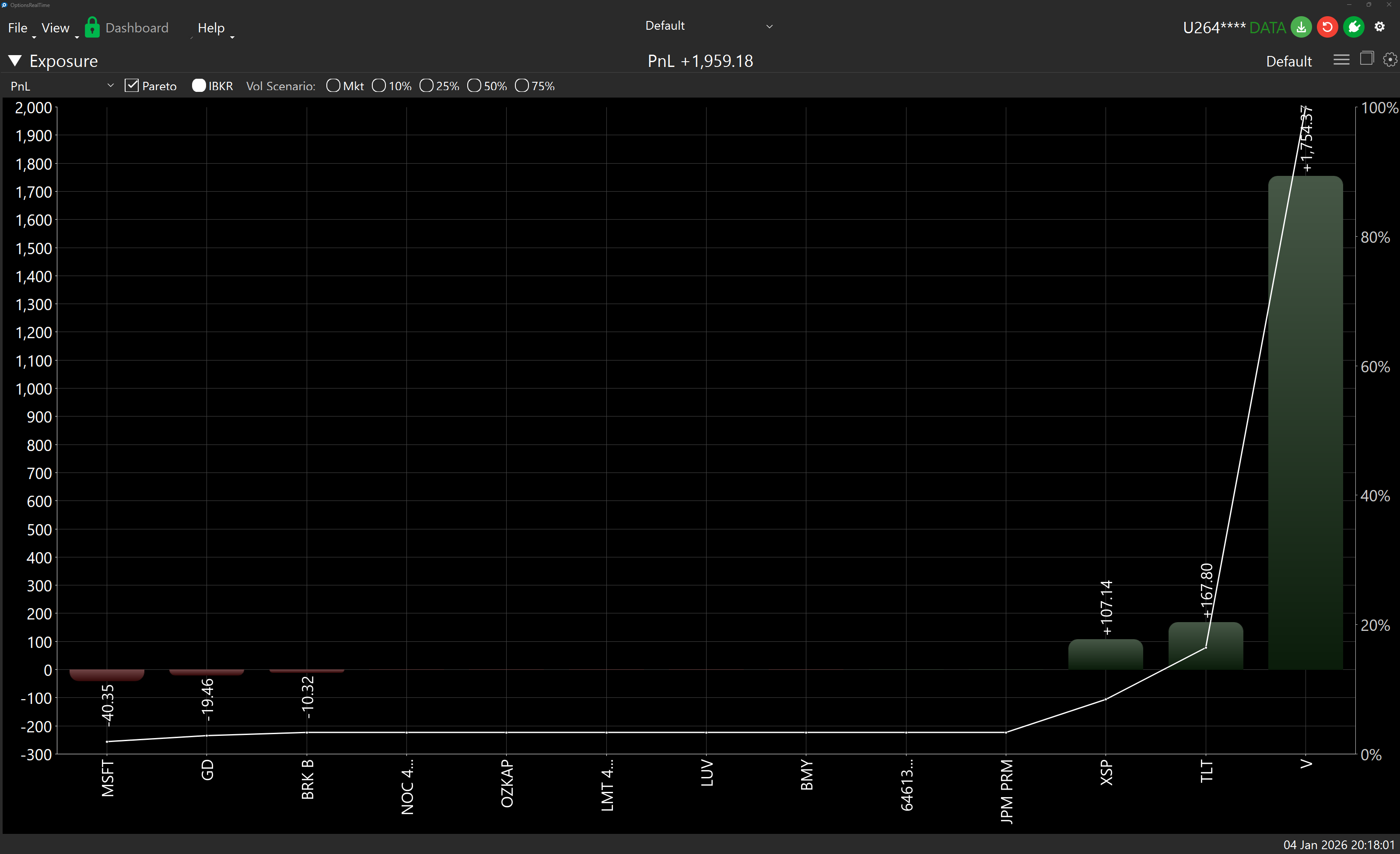
The Exposure bar chart shows the selected metric’s value for every underlying in the portfolio.
Over 70 metrics available, including:
- Greeks with IBKR and ORT variants
- PnL, Value, Cost Basis
- Intrinsic and Extrinsic Value
- Notional and contract counts
- Call/Put and Long/Short breakdowns
See Field Definitions for details.
Underlying Price Scenarios
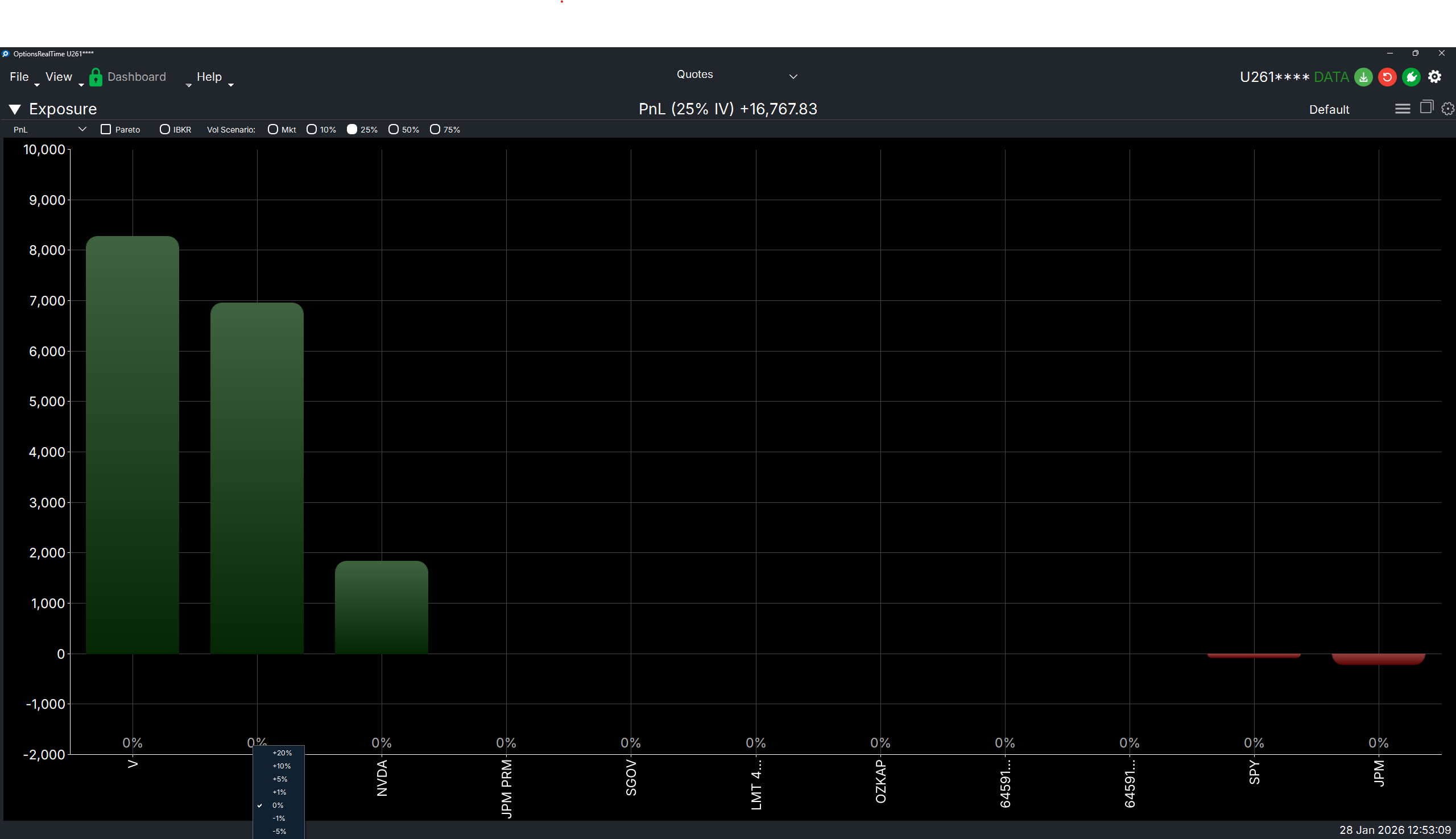
Section titled “Underlying Price Scenarios”When viewing an Implied Volatility Scenario, you can further adjust individual underlyings by a percentage price move to model combined volatility and price shocks.
Right-click on the percentage label below any bar (on the X-axis) to select a price change from -20% to +20%. The chart updates to show the projected metric value under both the IV scenario and the price move.
Available price changes: -20%, -10%, -5%, -1%, 0%, +1%, +5%, +10%, +20%
Price scenario settings are saved per underlying and persist across sessions.
Display Settings
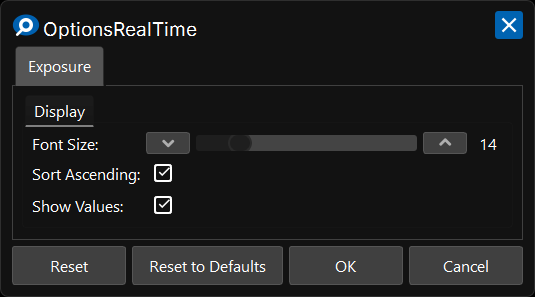
Section titled “Display Settings”In the upper right corner of the Exposure Chart is a gear icon for settings.
Display
Section titled “Display”- Font Size: Font size for axis labels
- Sort Ascending: Show bars in ascending order when checked, descending when unchecked
- Show Values: Show each bar’s value on top of the bar
Control Panel
Section titled “Control Panel”In the upper left corner of the Exposure Chart, next to its label, is a chevron which can be clicked to toggle the visibility of an additional control panel. The control panel contains:
- Pareto: Overlays a curve with metric values mapped to accumulating percentages of the total
- IBKR: View current IBKR metric values
- Implied Volatility Scenarios: What-if scenario analysis using an analytical model applying different implied volatilities (Market, 10%, 25%, 50%, 75%)
Examples
Section titled “Examples”